
With this year’s developments, we once again addressed multiple key aspects of the structural design process — from wind load generation and geometry repair processes, to fire and connection design, and even special tapered structure modeling. Some of these new features were already introduced last year, while others make their first appearance in Consteel 19. Let’s take a closer look at the details!
FALCON
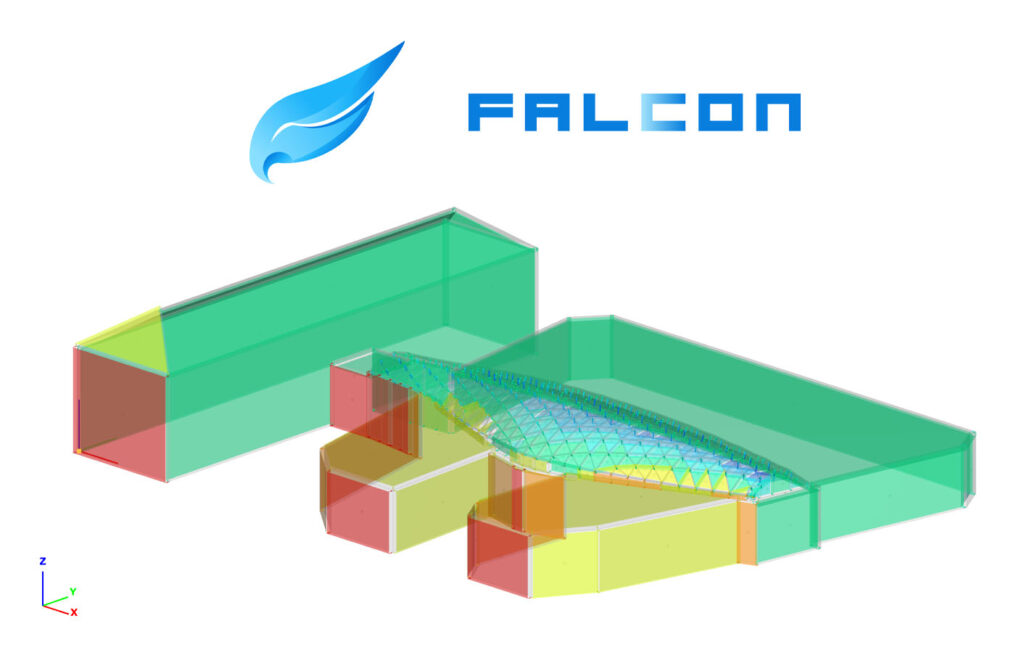
FALCON is a universal wind load-generation plugin powered by computational fluid dynamics simulation. It enables structural engineers to determine realistic wind loads for any building configuration while maintaining compliance with design standards.
From the beginning, our primary goal has been to deliver a transparent and intuitive tool designed for practical, everyday engineering use.
Therefore, the focus is not on the simulation process itself— which functions as an internal engine supporting wind load generation — but rather on the post-processing of simulation results.
This approach enables engineers to automatically generate familiar wind zones and load objects, transforming complex CFD data into clear, ready-to-use design information.
What makes FALCON unique:
- Seamless integration with Consteel for direct load application
- Compatible with national annexes and wind design standards
- Realistic wind-load generation using CFD (computational fluid dynamics)
- Automatic mapping and zoning of surface pressures for precise, comparable loads with the standards
FALCON is implemented and can be purchased as a plugin for Consteel.
Read more and watch the intro video to get a quick overview of FALCON.
NEW CONNECTION DESIGN OPTIONS
The existing connection design options in Consteel — Consteel Joint and the direct link to IDEA StatiCa Connection — have now been expanded with two additional capabilities:
- IDEA StatiCa Checkbot export for designing eccentric connections
- Fictive Joint – a tabular export of joint loads for use in any external connection design workflow
Together, these enhancements offer a more flexible and transparent end-to-end workflow, minimize manual intervention, and help ensure consistent and reliable connection design across the entire project.
Learn more to understand the differences between the IDEA StatiCa Connection link and Checkbot export in Consteel, as well as Consteel Joint and Fictive Joint.
NEW DESCRIPT COMMANDS
As part of our ongoing commitment to continuously improve and expand our tools, we’ve once again introduced powerful updates to our built-in scripting environment, Descript, which is becoming an increasingly important part of everyday engineering workflows.
Among this year’s new functions, you’ll find:
- back-to-back cold-formed sections (LOAD_SECTION_MACRO)
- shearfield (CREATE, GET, SET)
- frame corner (GET, SET)
- sway imperfection (CREATE, GET, SET)
- reinforced concrete column sections (LOAD_SECTION_MACRO)
- smart link (CREATE, GET, SET)
All designed to accelerate your everyday work and empower your structural projects with greater efficiency and flexibility.
IMPROVEMENTS OF FIRE DESIGN
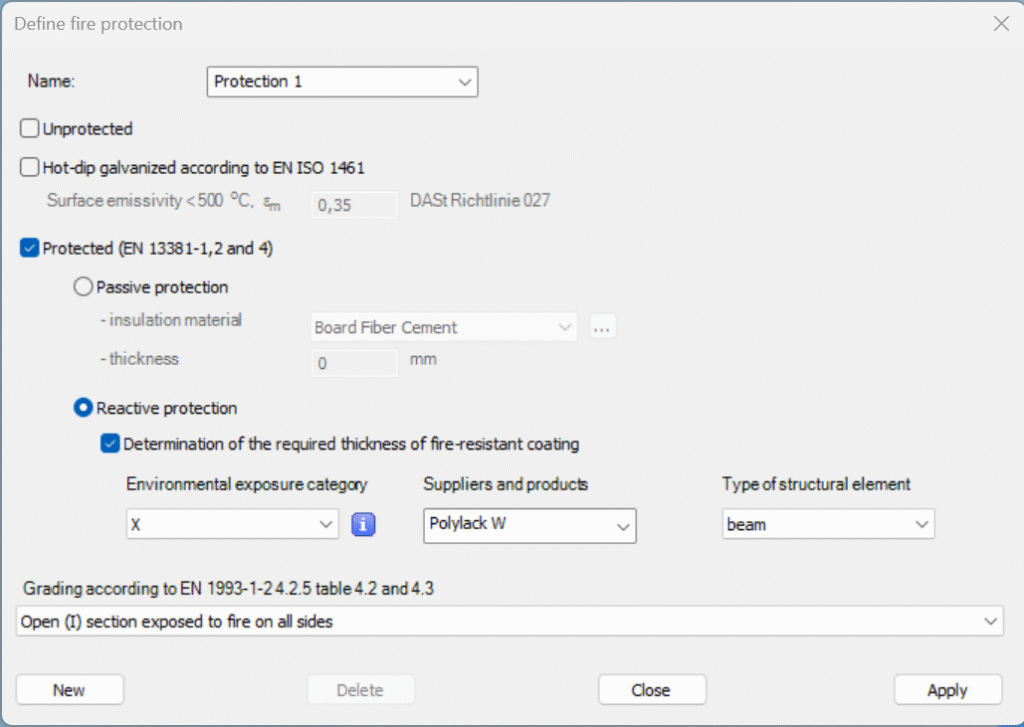
Zinc coating can enhance the fire resistance of steel members by slowing the temperature rise during exposure. With such coatings, achieving up to 30 minutes of fire resistance is possible even without intumescent paint or additional protection. This effect of hot-dip galvanizing can now be considered in Consteel through modification of surface emissivity factor.
When intumescent paints are applied, real paint product data can now be assigned directly to members. Consteel can determine not just the critical temperature, but also the required paint thickness to meet the desired fire rating — a valuable tool that helps designers verify in advance whether the chosen fire protection strategy will be effective and practical.
EXTENSION OF LOAD TRANSFER SURFACE ASSIGNMENT
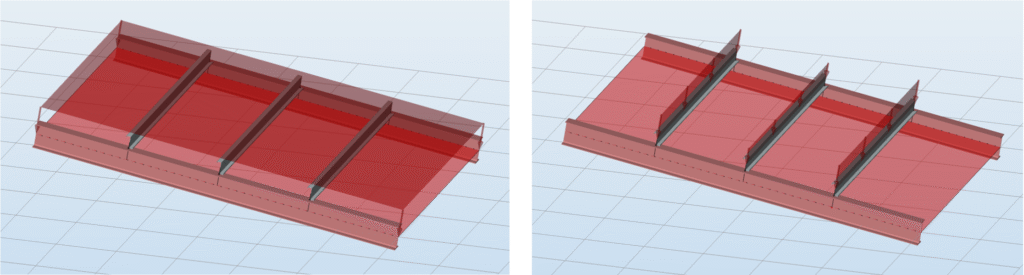
Previously, bar members could only be assigned to Load Transfer Surfaces if they were positioned exactly in the same plane.
Now, this limitation has been removed — bar members can also be included in load distribution when they are slightly offset from the surface, within a user-defined tolerance.
This new flexibility makes load modeling much more intuitive and adaptable, especially for complex structures.
ECCENTRIC MEMBERS
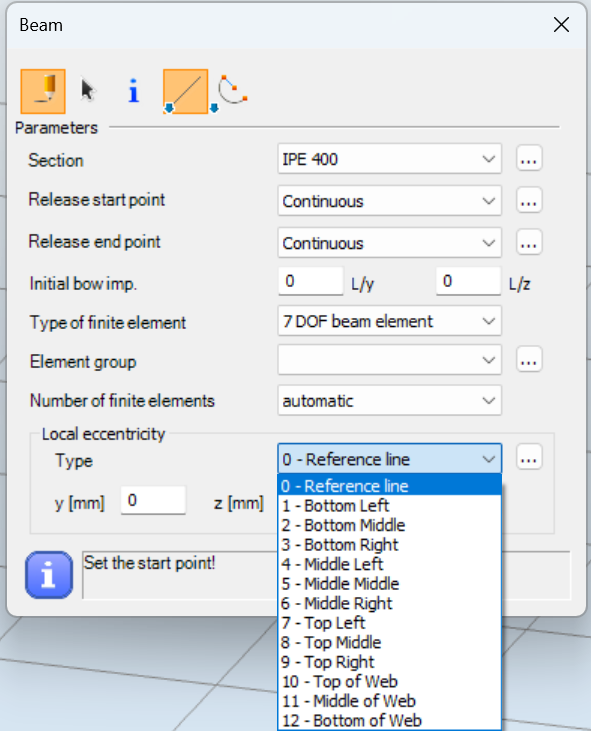
Beam elements can now be positioned with defined eccentricities — similar to how loads, supports, and other components have long been handled. The range of available eccentricity options has been extended to include locations typical for welded built-up members, such as the top of web, bottom of web, and mid-web. This enhancement makes it much easier to model structures accurately with flexible reference systems.
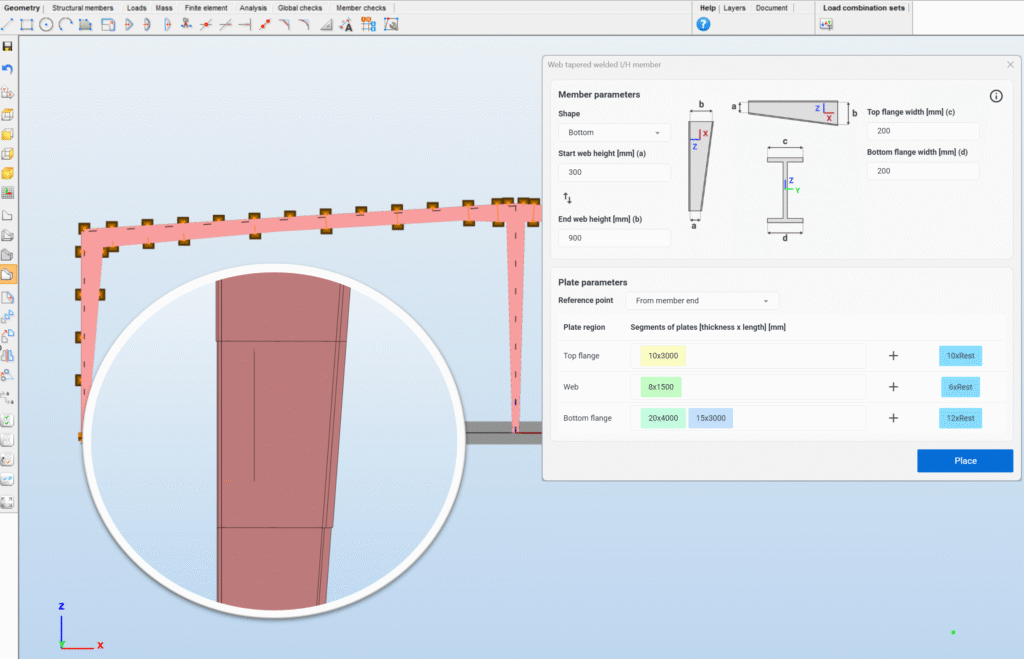
TAPERED BUILT-UP MEMBERS MADE OF SEVERAL PLATES
In welded built-up members commonly used in metal buildings, the plate thickness often varies along the length to optimize material use according to internal forces. Previously, each thickness change required defining a new cross-section.
The new tapered welded built-up member component eliminates this need — it allows defining lists of plates for flanges and webs with different thicknesses along the member. These lists can be freely edited, and Consteel automatically generates the corresponding finite element model, significantly simplifying and speeding up the modeling process.
MODEL REPAIR POSSIBILITIES
Small geometric errors in structural models are often encountered due to modelling mistakes or incorrect importing from other design software. These errors then can cause problems in finite element model generation or lead to unexpected structural behavior.
With Consteel’s new Geometric repair tools such issues can be easily and quickly solved. These tools have the capability to reconnect element ends to a neighboring element within a user defined tolerance, make almost vertical columns perfectly vertical and many more.
INTRODUCTORY VIDEO AND WEBINAR ABOUT THE FEATURES
Watch our introductory video of the new version, or rewatch our Consteel 19 features webinar (scroll down for this video).
Feel free to try it or request a quotation at info@consteelsoftware.com.
A new update for Consteel 18 has been released, bringing not only a series of bug fixes but also some new features—all designed to make your daily work smoother and more efficient.
Improvements for connection design
Connection design is an intergated part of the global design process, that is why we want to grant as many possibility for our users as we can.
- We have our integrated connection design tool, Consteel Joint for standard connections.
- There is a direct link to IDEA StatiCa Connection (v 22.1, 23.0, 23.1, 24.0) for non-standard cases. It has some limitations though and we’ve been struggling through the last few years to keep this interface up-to-date, following all the changes made on both dinamically developing software and growing user demands.
- So we’ve decided to implement an export to connect to IDEA StatiCa Checkbot.
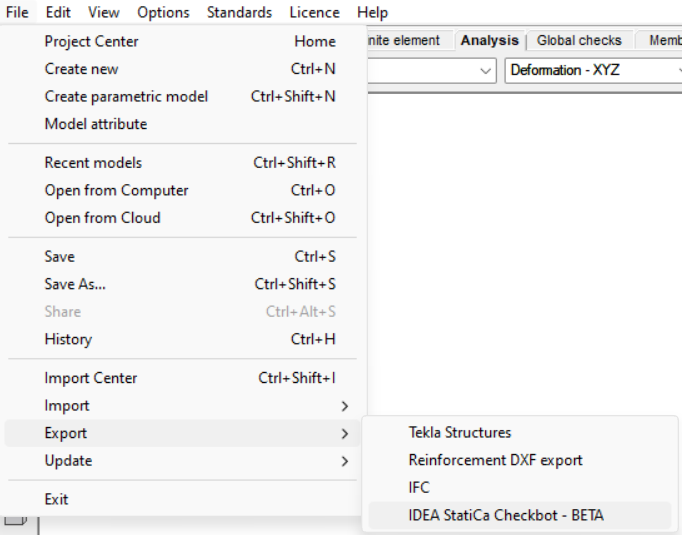
The whole model with analysis results can be exported to .xml format which can be imported into Checkbot (IOM import) and connection design can be performed there.

For now, it is a one-way link, not a live interface and can only be used with IDEA StatiCa 24.1 and when there are no SLS results in the model. Because of the limitations and possible bugs it is released as a beta version. As always – but now in particular-, we would like to kindly encourage you to try the export and send your questions, comments, requests to us via Help Center.
- For those cases when neither Consteel Joint, nor IDEA Statica can not be used, there is a new feature developed: Fictive joint.
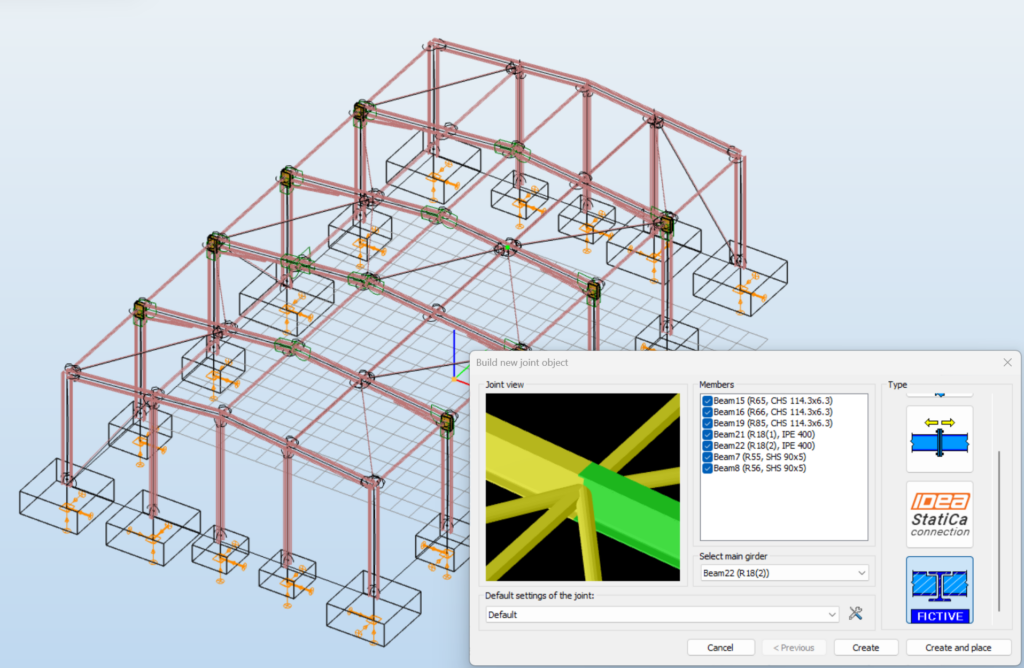
It is basically an export of the internal forces of joints to .csv format. It utilizes the advantages of placed joint, meaning that a fictive joint can be placed at several locations in the model in case of geometrical similarity and the internal forces of all placements will be collected and exported together.
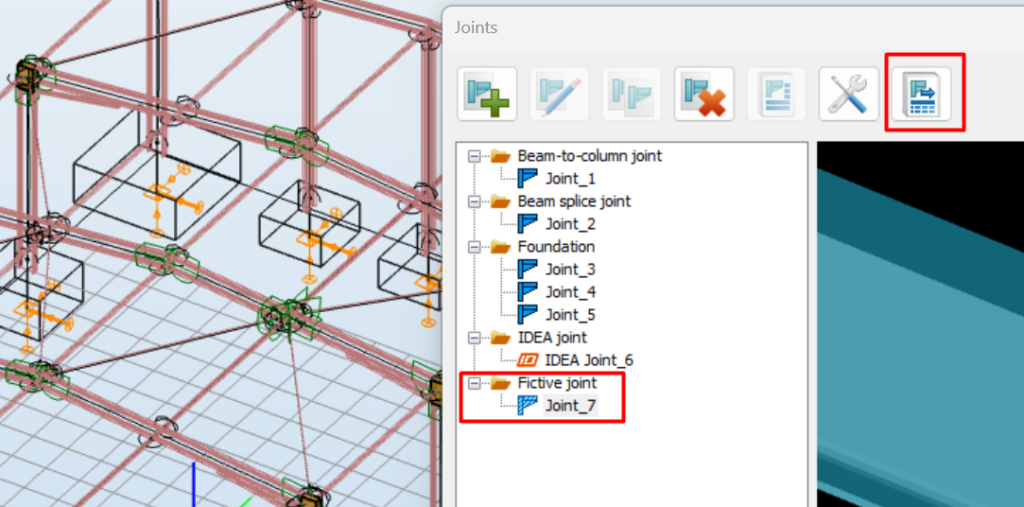
Csv files can be opened in Excel and the data can than be organized by any customer need and used for connection design. Besides the .csv file, two pictures are generated during the export: one of joint geometry and one of the interpretation of the internal forces and local coordinate systems.
Introduction of Romanian standard
As we would like to strengthen our presence on the Romanian market, it was time to pay extra attention to the complicated situation of standardisation in Romania. As a result, we impemented Romanian standard into our Standards Library instead of earlier EN Romanian NA. It includes load definition according to CR 0, CR 1 and P100 and design according to EN 1992, 1993 and 1997.
Small improvements
Other improvements of the update include possibility of ordering load combinations by values of factors on the Load combination dialog and implementation of double cold-formed sections in Descript.
Modification
For our experienced users it may worth to mention that Consteel Joint is now fully integrated into Consteel which comes with the fact that csJoint.exe does no longer exist separately. Joint module can only be launched within Consteel.
FALCON update
In addition to Consteel update, we have released a new FALCON version too, including bug fixes. The community beta testing of our wind simulation aided load generation tool is up and running and we are waiting for your feedback.
Download and detailed version information
The new Consteel 18 update is available at Downloads/Install packages menu and FALCON 1.0.0.73 at Downloads/Plugins menu. For detailed version information, see Blog | Consteel Documentation Center .
The latest update in Consteel 17 has been released. Let’s explore some of the most significant improvements that will enhance everyday usability.
Over the last few months we have spent time on bug fixing in addition to major releases and internal development projects. With these changes, the latest version of Consteel 17 has been released. It is available via a small bell icon in the Project Center, and the installation file is available as usual on the website on the Downloads page.
In addition to bug fixes, the new version also contains some minor improvements and changes, some of which are presented here.
Danish NA is implemented in the Standards Library
If you encounter Danish work, there is no need to define a unique standard afterward because the Danish National Annex has been incorporated in the Consteel standards library. Alongside the appropriate safety factors, the special load combination generation rules can also be used.
Although, Consteel offers a variety of EN NA’s, if you cannot find the annex you need, you are still able to define a new, custom one in an easy way.
IDEA StatiCa cooperation with Consteel

The IDEA StatiCa traditionally releases its latest developments every year in April, which usually necessitates an update to the Consteel – IDEA connection as well. This update has been implemented in this Consteel release.
Small changes in documentation
For better clarity, we have reorganized the documentation of SLS (Serviceability Limit State) checks and the Earthquake analysis.
Visualization improved
Two small but very useful modifications have been included:
- The model’s position on the screen remains the same when switching between windows. Previously, for example, when switching from the 'Structural members’ tab to the 'Analysis’ tab, the structure would shift due to the appearance of the table containing the results. This has now been changed so that precise work is possible.
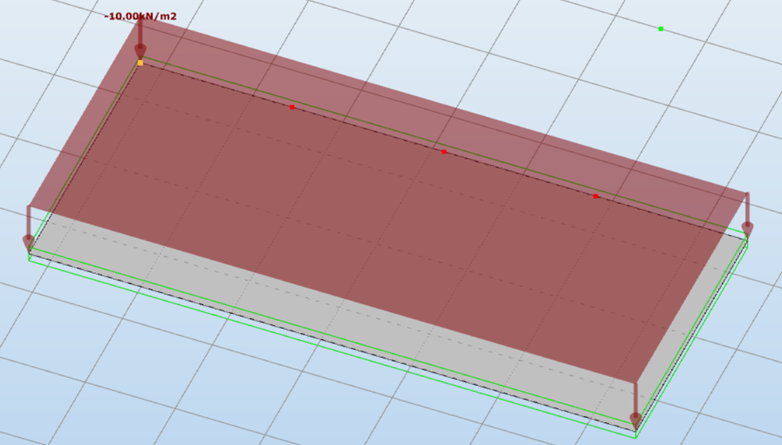
- Additionally, the display of surface loads on plates has been modified, so the surface load remains visible even in distributed representation.
Further implementations
- Updated Google Analytics has been introduced to measure usage statistics. The information obtained will only be used for further product development and problem-solving purposes. This feature can be disabled by clicking on the 'Update’ tab in the 'Settings’ menu, but it will be automatically enabled after each installation.
- The 'Hide’ and 'Detail Model View’ icons now appear in the 'Auto Portions’ window as well.
- The 'The actions can be favorable in a combination’ checkbox is now checked by default for every load case. This results in the generation of significantly more load combinations, but all are necessary according to the standards. With the 'Load Combination Filtering’ feature released in version 16, the number of considered load combinations can be safely and efficiently reduced.
- For Tapered members, the 'Frame Corner Wizard’ will consider the height of the end of the bar rather than the average height when creating the finite element.
Further bug fixes
In addition to the above, the new version also includes several bug fixes. Descriptions of these fixes can be found in the Version information document.
The newest update version of Consteel 15 has been released. The update contains mainly bug fixes and comes together with the renewal of Steelspace, our cloud-based collaboration platform.
Innovations in Steelspace
With new technological solutions and a rethinking of the overall user experience, we were able to define a new direction for the Steelspace. We redesigned the foundations of the service to facilitate effective collaboration during engineering work in the long term. Please read our blogpost to get to know the developments.
French National Annex implemented
French National Annex is now available within EN standards, Nationally Determined Parameters are defined and ready to be used.
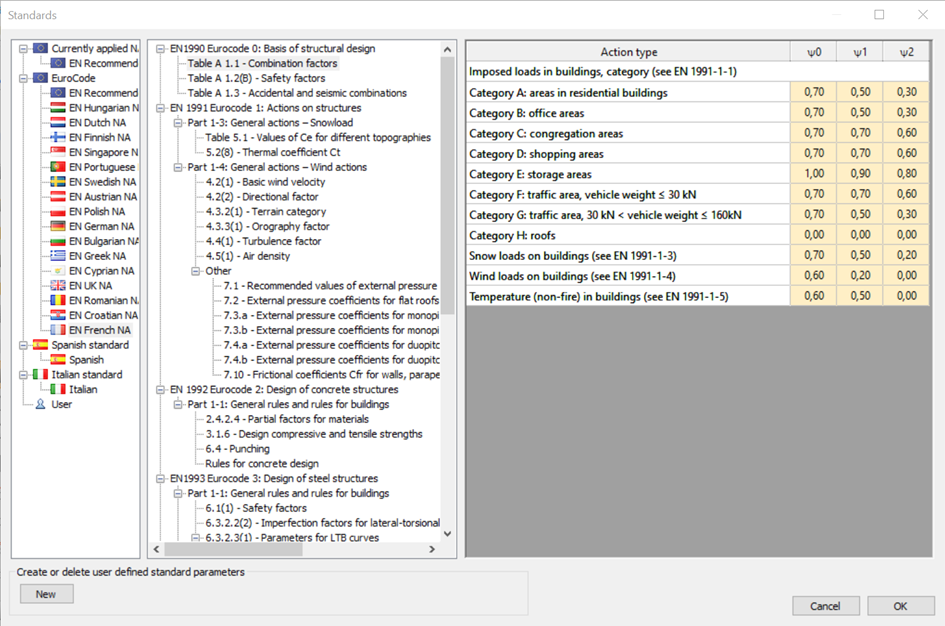
Although Consteel offers a variety of EN NA’s, if you cannot find the annex you need, you are still able to define a new, custom one in an easy way.
Word-export of documentation
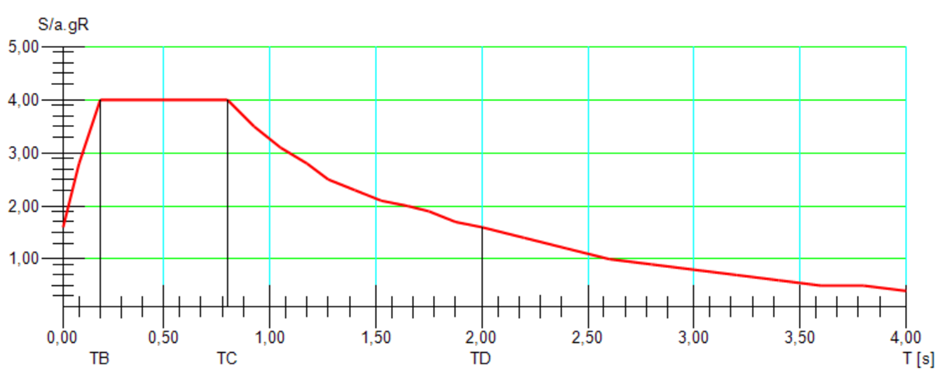
Many of you could have experienced problems with exporting the documentation to Microsoft Word. The collaboration with other software is never easy and we are continuously working to fix the upcoming issues. We recently discovered that the response spectrum graph is the cause of opening issues of the generated Word documentation, so for the time being this diagram below has been removed from the export, but the documentation still includes it. So it is possible to copy it as a picture and paste it to the Word document.
Decimal and rounding issues fixed
Since the background refactoring works prior to Consteel 15 release, we faced recurring problems with decimal separators, number of decimals and rounding at input cells. We trust that with latest developments we eliminated these kinds of problems successfully.
In this regard, and in general, we encourage you to report any issues you encounter while working with Consteel or share your needs/ideas for new features through our support system.
Further bug fixes and improvements
For further details, please see the Version information document.
A new update version of Consteel 15 is released. The modifications done are described in detail in the Version information document as usual, but we would like to highlight some of them here for you.
Extended 'Help menu’ and new 'Help tab’
We have extended our 'Help menu’ and implemented a new 'Help tab’ for the essential support-related requests to make posting support issues more convenient. Please visit our blog post for more details.
New version notification in Project center
We realized that many of you do not work with the latest software version and that it may be because we changed our old habit to notify you with a message box about the availability of the new version. So, we returned to the previous method and there will be a pop-up message box every time a new version is out. It will only appear once per version to avoid frustrating you, but the green notification in the header of the Project center will remain as a reminder.
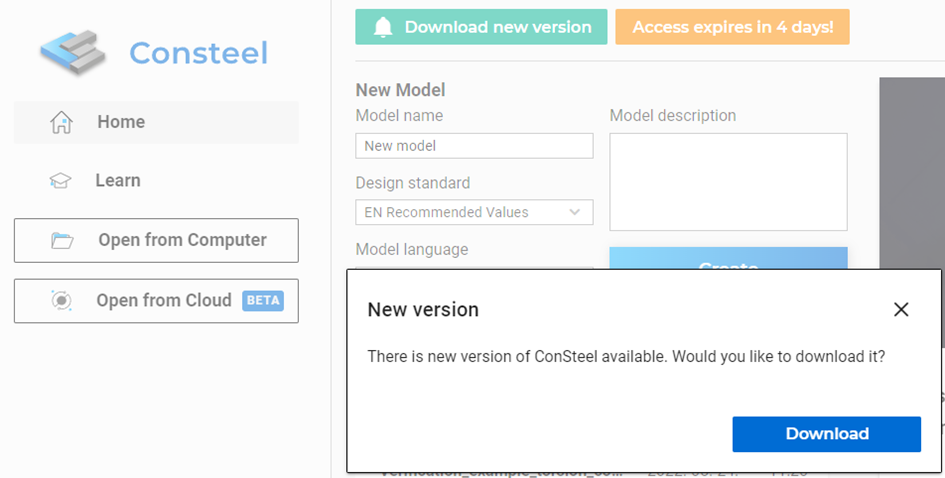
Clicking on Download will take you to our website. The process is authenticated so you won’t need to log in again if you are already logged in Consteel.
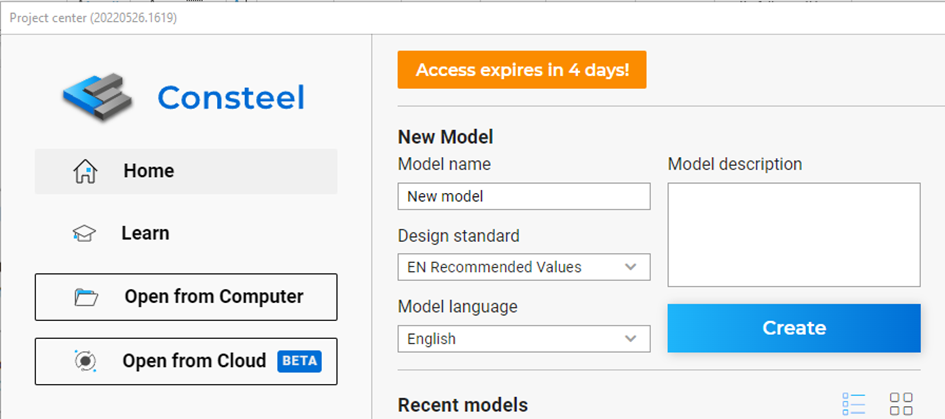
Notification of the expiration of your access
Another notification will inform you if your access is soon to expire. Clicking on the note will take you to Access expires FAQ on our website and give you all the information about what to do.
USB dongle driver removed from the installation package
Following the generally-used approach, we decided to remove the driver for the USB dongle from the installation package. We would like to encourage all of you to switch to online protection as many of you already did. This step is part of the transformation process.
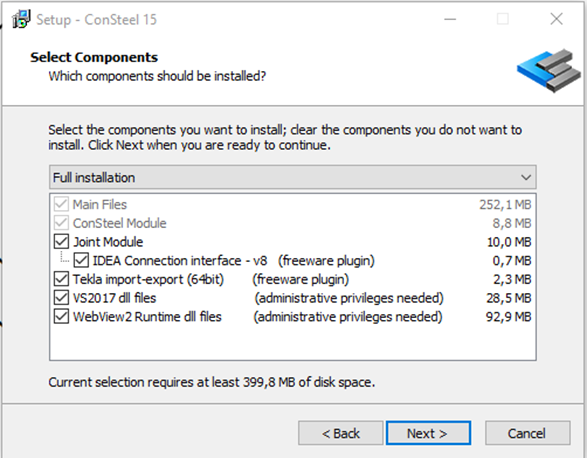
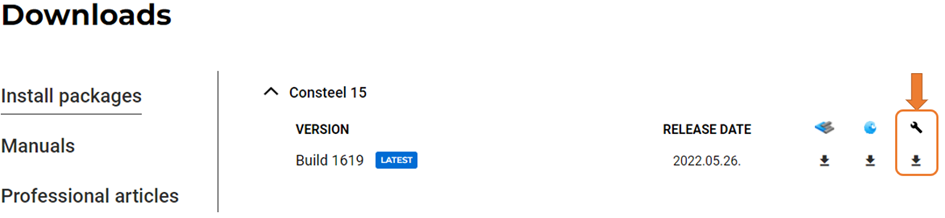
But in case you still need this driver, it will be available from the Downloads menu on our website. After downloading the exe file, install the driver on the usual way.
Stabilization of cloud save functionalities
Fixes have been added to stabilize the feature and fix authentication errors and fixes have been implemented to prevent errors that result in incorrect file uploads.
Further bug fixes and improvements
There are a few bug fixes which you can check in the Version information document.